


Do you have a ghost in your house that is bothering you at night? Ghosts will typically appear between the hours of 12 AM and 6 AM, wandering around a sim lot for hours. They will act as if they are still alive and living there, even interacting with your living sims. You may need or want the ghost removed for many different reasons. Luckily, there are many ways for how to get rid of a ghost in Sims 3.
Table of Contents
Ways to Get Rid of a Ghost in Sims 3
If the spirit of a dead sim is bothering you and impacting your gameplay, you will want to get rid of the ghost quickly. There are many methods you can learn for how to get rid of a ghost in Sims 3. Some of the main ways are by removing the grave or urn, resurrecting the dead sim, changing professions or disallowing the ghost hunting profession, and moving houses. Likewise, you will also have the option of using in-game cheats or mods for a quick and easy fix.
Delete the Grave or Urn
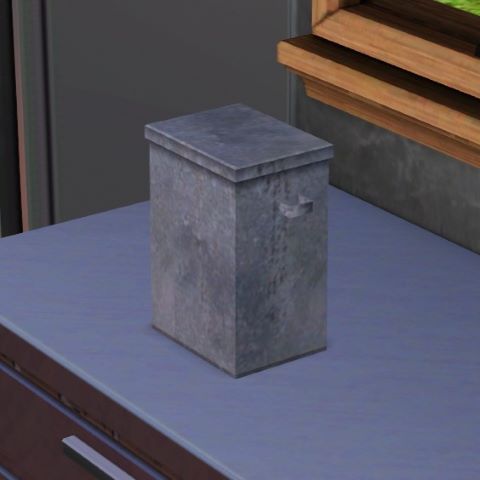
If you have a ghost frequently visiting your house during the late night hours, the reason is that you have a gravestone or an urn of ashes somewhere on your lot. One of the quickest and easiest methods for how to get rid of a ghost in Sims 3 is to pick up the grave or urn and delete it. Additionally, you can pick up the urn and put it in your sim’s inventory until you decide what you want to do with it. This will stop the ghost belonging to that gravestone or urn from spawning until you place it back down.
Move Grave to the Mausoleum
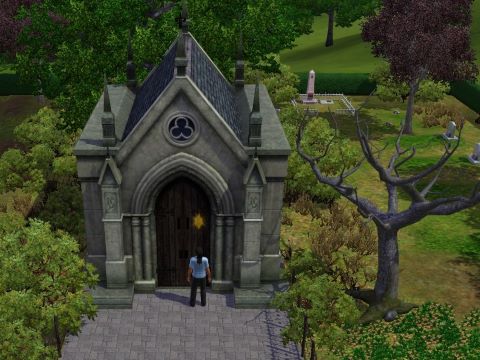
If you don’t want to forget the memory of the dead sim, you can also opt to move the grave to the mausoleum within your town. Head on over to the cemetery and click on the mausoleum building. Select the option “Manage the Dead”, this will allow you to add a gravestone or urn from your inventory to the cemetery by clicking and dragging. Your sim will still be able to visit the grave site, as well as potentially be able to see the ghost of the sim during the night when visiting the graveyard. Additionally, if you change your mind in the future, you can always head back to manage the dead and retrieve the tombstone or urn.
Release Spirit to the Netherworld
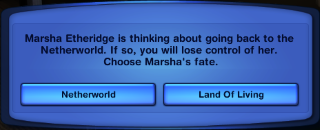
Releasing a spirit to the netherworld can only be done on a playable sim ghost. The main way to have a playable ghost is to get the science facility opportunity called “Oh My Ghost!”, which will attempt to bring your sim back to life. Rather than being brought back to life, they will be playable again as a ghost. You will find their tombstone within their own inventory. Click on the tombstone and you will see the option of “Release to Netherworld”. Once this is clicked, you will be prompted again to either release the spirit to the netherworld or stay in the land of the living. Once released to the netherworld, you will no longer see or be able to play as this ghost anymore.
In-Game Cheats
If you cannot figure out how to get rid of a ghost in Sims 3, you will always have the option to use cheats. Simply hit Control, Shift, and C. Once the text box pops up, write “testingcheatsenabled true”, then proceed to click on the ghost and select “Object” and “Delete It”. This will delete the ghost from the game. They will not be able to come back again, however, you will be able to keep the sim’s urn or grave. Their existence will not be entirely wiped from the game and their memory will remain within the family tree.
Resurrect the Sim
Resurrecting the sim is a surefire way for how to get rid of a ghost in Sims 3. Bringing the sim back from the dead will eliminate their ghost because they will no longer be dead. They will become a playable human in the active household once again. There are many different ways that you can choose to resurrect a sim. Some of the common methods are feeding ambrosia to a ghost or using a genie lamp. For more detailed information, check out our article on How to Resurrect a Sim in Sims 3!
Change Professions
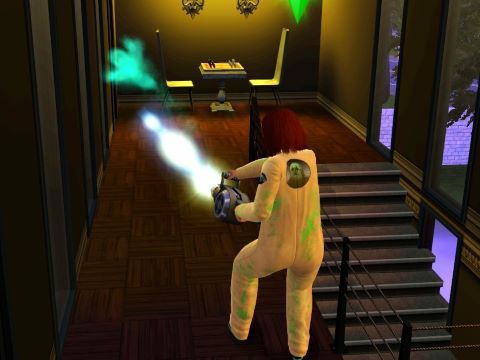
The Ambitions expansion pack brought in some new job options for sims. One of the new jobs that sims can be employed in is the Ghost Hunting profession. This profession makes it more likely that your sim will see ghosts. You will eventually get a Spook-o-meter, which will let your sim scan their surroundings for spirits. While this can be a fun career path to go down, it can also make ghosts appear when you don’t want them to. Change your career to a less spooky path and you will immediately begin to see fewer spirits in your vicinity.
Additionally, the ghost hunting profession will make it so that random areas in the town will be haunted. This allows for ghost hunters to come in and clear the area. You may end up with a neighboring lot that is haunted and playing spooky music. If ghost hunters do not come and this begins to bother you, you have the option of using mods to fix it. Using the NRAAS Story Progression mod, go into the Town Options and Select Career. Proceed to Disallow the Ghost Hunter career. This will stop the random hauntings associated with this profession in your town. You may continue to hear the sounds and music from the haunting for a couple of days but this will eventually stop.
Move Houses
If all else fails, you will have the option to entirely move houses to get away from the ghost. Ghosts will be tied to a grave or urn in almost all cases, which are found on a specific lot. Thus, moving to a brand new lot that does not have any trace of the dead sim will rid you of their ghost as well. Obviously, this can be inconvenient and cost you quite a bit of money. However, doing this will be a quick and simple solution to the problem.
Adding Mods
If you want to seek the help of a mod, there are a few to choose from. Here are some of the mods that can be added to the game to help you with how to get rid of a ghost in Sims 3:
- Ghost Reaction Remover Mod: This mod is an excellent choice for someone who wants to keep the ghosts of old family members around. However, the ghosts affecting your living sims by causing reactions might get annoying, especially if they visit often. With this mod, you can choose to remove the reaction that sims have to ghosts when they appear. This can make your game much more peaceful! Check out the Ghost Reaction Remover Mod on Mod The Sims!
- NRAAS Retuner: This mod will allow you to entirely disable ghosts from spawning in your game. This is a great mod to utilize if you do not enjoy the presence of ghosts within your games and do not want to play with that feature anymore. Check out NRAAS Retuner Mod!
- NRAAS Master Controller: If you have a playable ghost, you will be able to change the occult status of them back to a human state. If they are not playable, you can still change their occult status, but they will not be part of your household. You will have to add them back into the active household to play them. Check out NRAAS Master Controller Mod!
Reset Sim
If you are having trouble with a ghost that is not returning to their grave at the time that they should, you can choose to reset the sim. This will immediately return them to their gravestone. You will not see the ghost again until they randomly spawn again at night. This will reset any bug associated with the ghost.
How to Summon a Ghost in Sims 3?
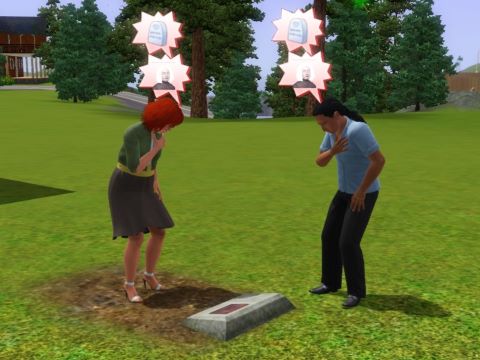
In order for a ghost to be summoned, you must have a tombstone or an urn on your lot. Additionally, it will make it significantly more likely that the ghost will spawn at night if sims are mourning at their grave. Getting a ghost to spawn is the first step for many of the methods listed above.